
Existing remote compatibility · factory matching
Same Remote Design, Different Codes: Matching Rechargeable LED Modules to an Existing Remote
Already have illuminated products? Keep using your familiar remote when adding new LED modules, without mixing up different controllers.
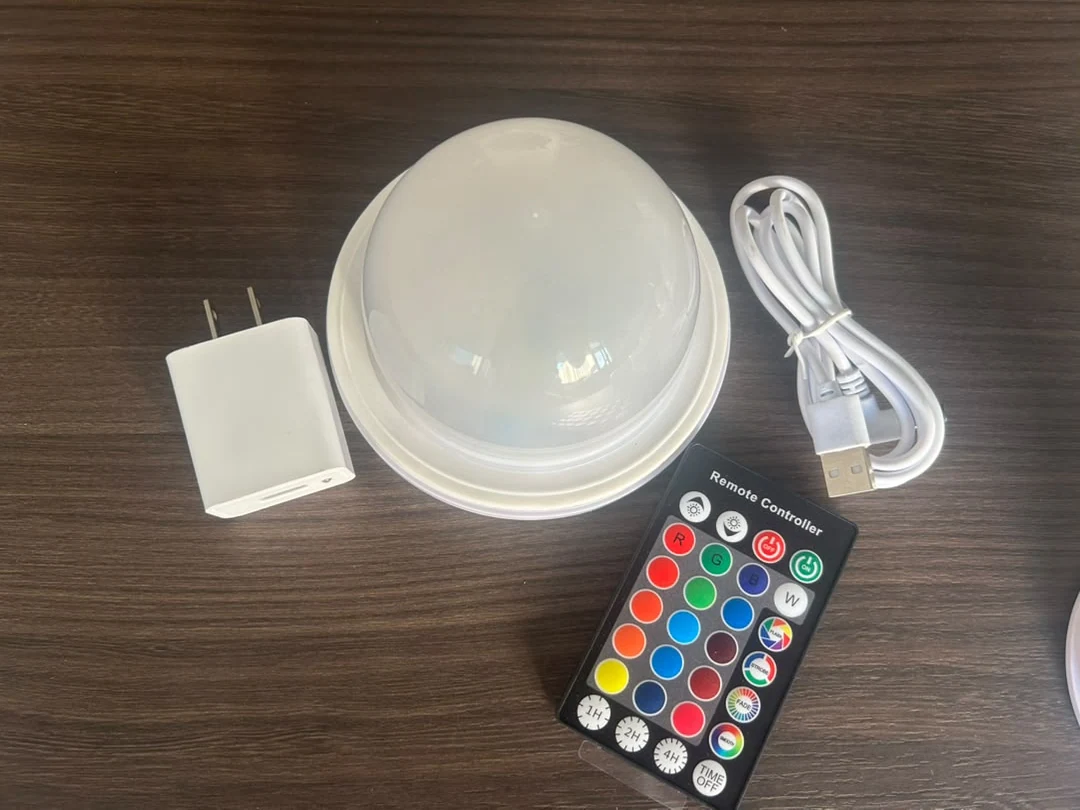
Vcan can review your existing remote and match a supported module configuration to its control codes. Send your control-code information or a physical remote sample. The remote does not have to look like Vcan's standard remote. Once compatibility is confirmed and the matched sample is approved, modules can be produced to the agreed control configuration.
This is a factory customization process, not a promise that every remote will operate an off-the-shelf module.
The case starts with a misleading similarity
The same remote housing does not mean the same control codes.
In this project, the customer's remote looked the same as Vcan's standard remote. However, its internal control codes and function assignments were different. The familiar exterior was therefore not enough to confirm that it could operate a standard Vcan module.
The buyer wanted to continue using their own remote rather than introduce another controller. The right approach was to match the module to the customer's actual control requirements—not simply supply a visually similar remote.
| What you can compare | What it tells you |
|---|---|
| Housing and button layout | What the remote looks like; not proof of module compatibility |
| Control-code information or a working sample | The basis for reviewing and matching the module's control configuration |
| Matched remote and module tested together | Whether the required operation works on the agreed combination |
The reverse is also important: a different remote shape does not automatically prevent matching. The technical review concerns the control system and required commands, not whether the plastic casing resembles the remote in a product photograph.
One familiar remote for existing and newly added products.
Many buyers already have illuminated products in use. When adding more products, they want their existing remote to control the new LED modules too, instead of keeping different controllers and remembering which one belongs to which product.
Matching the new modules to the existing remote's codes can support that shared control arrangement. The aim is not to replace the buyer's current remote or change their existing products, but to configure the new modules for the same agreed commands. Compatibility and required functions still need to be checked on the intended combination.
A completed customer project
Remote samples made it possible to match the modules.
The customer sent their own remote samples to Vcan. Vcan then matched the LED modules' control configuration to those remotes' codes. The customer's remotes successfully controlled the matched modules, and the customer subsequently placed a repeat order.
- Customer remote samplesThe actual remotes supplied the reference for matching.
- Module code matchingVcan configured the modules for the customer's control codes.
- Successful operationThe customer's remotes controlled the matched modules; a repeat order followed.
The key result was continuity of control: the buyer could use their existing remotes with the supplied modules. It does not establish universal remote compatibility, and it is not evidence that every printed button function is available on every module.
Two ways to start a matching request
Provide control codes, or send your remote.
If you have control-code documentation, send it with any available protocol details and a description of the functions you need. If you do not have that information, send a working remote sample so Vcan can assess the actual controller.
Either route can be used whether the remote looks the same as, or different from, Vcan's standard remote. After review, a supported configuration can be matched to the customer's codes and prepared for sample testing and production.
- The control reference: available code information, or a working remote sample.
- The required operation: identify which functions must be retained. On/off, dimming or colour selection are examples to specify, not confirmed features of every matched module.
- The lighting product: describe the lamp or illuminated furniture and identify the module you want to use, if known.
- The acceptance test: explain how the remote and module will be used together so the intended operation can be checked.
You do not need to choose a new control system simply because the remote has a different casing. If you are still comparing control technologies rather than keeping an existing remote, see the separate LED module control-options guide.
Approve the combination, then reproduce it
Confirm the matched sample before production.
For a new project, test the matched module with the intended remote and approve the required functions before confirming the production configuration. If you use multiple existing remotes, identify which versions need to be checked; one familiar-looking sample should not be assumed to represent every controller in use.
The agreed reference should include the remote or its code information, the selected module configuration and the functions approved in testing. That gives subsequent production a defined control requirement rather than a vague instruction to “use the same-looking remote.”
Mechanical fit, charging and lighting requirements still need their own review. Matching remote codes does not make a module physically suitable for every housing. For replacement projects, start with the replacement LED module compatibility checks; for a new product, review the rechargeable LED module range and OEM customization options.
Send a remote photo, the functions you need and available control-code information—or ask us about sending a remote sample. We can review matching for your LED module project before you commit to production.
Questions
Existing remote compatibility and code matching.
Will a remote work with an LED module if it looks the same?
Not necessarily. Identical-looking remote housings and button layouts can use different control codes. Compatibility must be checked with the actual remote and the intended LED module configuration.
Can Vcan match a module to a remote with a different appearance?
A different appearance does not rule out matching. Send the remote's control-code information or a physical remote sample. Vcan can review compatibility and, where supported, configure modules to the customer's codes for testing and production.
Do I need control-code documentation, or can I send a remote sample?
Either is a starting point. Supply available control-code and protocol information, or send a working remote sample. Also identify the functions you need. The information or sample is reviewed before a matched configuration is approved.
Is factory code matching the same as pairing a standard module at home?
No. This case involved Vcan matching the module's control configuration to the customer's supplied remotes. It is not an instruction for users to pair any standard module with any remote by pressing a button.