
Furniture light troubleshooting · after storage
LED Furniture Light Not Turning On After Storage? Check Sleep Mode
If your furniture light worked before storage but now ignores the remote, check its sleep-mode instructions. For supported versions, hold the base power button until the light comes on, then try the matched remote.
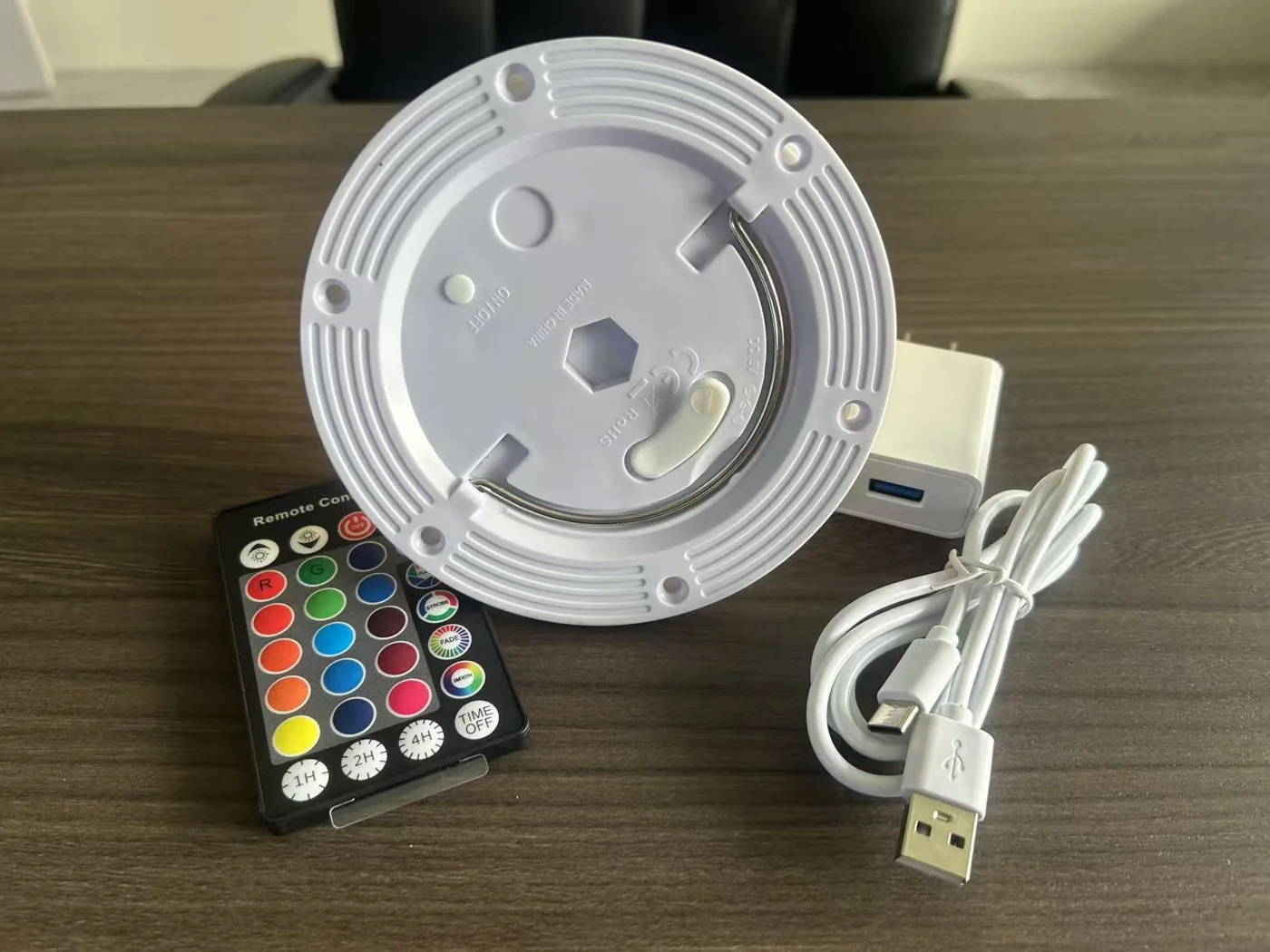
The base button and the remote have different jobs in sleep mode.
This procedure applies only when the instructions supplied with your module describe the same sleep function. Solar programs, button-only versions and other control configurations can work differently.
The direct-charge and induction-charge instructions reviewed for this guide describe the same sequence: before use, hold the power button on the LED base until the light comes on to wake the product. The remote can then be used. For a long period without use, they describe holding that base button until the light goes off to enter sleep mode.
A lamp that does not respond to the remote immediately after this storage sequence has not necessarily failed. Confirm the wake-up step before arranging a new remote, battery or complete light module. Sleep mode does not prove that the battery remains charged after a long interval.
Check the module before deciding what to replace.
- Identify the version. Find the model, order reference or supplied instructions. Use the remote and charging equipment assigned to that module. A familiar-looking controller or a plug that fits is insufficient to establish compatibility.
- Locate the base power button. Follow the furniture's access instructions. The button may be underneath the installed light; reaching it and removing the complete module are different tasks. Our module mounting guide explains why the fixing arrangement matters.
- Use the specified wake-up operation. Where the supplied instructions describe this sleep function, hold the base button until the light comes on. Then try on/off and a light setting with the matched remote. Use the press duration in your own instructions.
- If it stays dark, check the charging arrangement. Charge using the approved equipment and completion indication for that version, then repeat its instructed start-up sequence. The reviewed induction instructions also describe the matched charging base as a way to activate standby. Do not transfer that instruction to a different charging system.
For help identifying the charging setup, see battery, charger and charging-circuit compatibility. This guide does not prescribe a universal charging time, indicator colour or storage top-up interval.
Separate a wake-up issue from a remote or runtime issue.
| What you observe | Next useful check |
|---|---|
| The base button wakes it and the remote works again | The result is consistent with the instructed sleep/wake sequence. Record the sequence for the person preparing the furniture next time. |
| The light works from the base but ignores the remote | Check the remote's own battery and instructions, and confirm it is the matched controller. This result alone does not identify the failed component. |
| No light after the instructed wake-up and charging checks | Send the model, charger details and observed indicators for support review before ordering parts. |
| The light starts, but runs for less time than before | Compare a completed charge and the same colour/brightness setting. This is a separate runtime question. |
If a controller was replaced or mixed with another set, our existing-remote code matching guide explains why appearance does not establish compatibility. For reduced operating time, see battery lifespan and capacity checks.
Make the wake-up check part of preparing the next event.
For rental furniture or seasonal lamps, keep a short record of the module version, assigned charger and remote, the storage shutdown step, and the successful restart sequence. Run the wake-up and lighting check before dispatch, while there is time to investigate any unit that behaves differently.
These operating instructions are not a battery-storage specification. They do not establish a storage charge percentage, temperature range or recharge interval. Confirm those requirements for the selected battery and module rather than applying a number from another lamp. For planning compatible spare units, use the separate event-furniture spare module checklist.
Remote operation after storage: common questions.
Why will my rechargeable furniture light not turn on with the remote after storage?
For versions with the sleep function described here, the module needs to be woken with its base button before remote operation resumes. A flat battery, an unsuitable remote or another fault can produce similar symptoms, so identify the version and check its instructions first.
Do I long-press the remote or the button on the LED module?
The reviewed instructions refer to the physical power button on the LED base. They say to hold it until the light comes on, then use the remote. Follow your supplied instructions for the actual press duration and sequence.
Can charging wake the module?
The reviewed induction-charging instructions describe placing the product on its matched inductive charger to activate standby mode. This is an alternative for that supported arrangement, not a universal instruction for direct-charge, USB-C or solar modules.
Does no remote response mean that I need a replacement module?
No. First check the specified wake-up operation, a completed charge with matching equipment, and the correct remote. If operation does not return, send Vcan the model or order reference, photographs and a short account of the checks performed.
Send the module details and the checks you have tried.
Send Vcan a photograph of the module underside, remote and charger label, plus the model or order reference if available. Tell us how long it was unused, whether the base button turns it on, and what happens during charging. That is more useful than a message saying only that the remote does not work.
If a replacement is needed, start with the replacement compatibility review so the fixing, charging and controls can be checked together.