
Product displays · Customer case
Exhibition Display Lighting: Finding the Right Pink for a Brand
For a customer taking a product display to fairs, pink was part of the brand identity. Their dual VC-L117-D01 lights already offered pink. Adjusting its brightness helped them find the look they wanted.
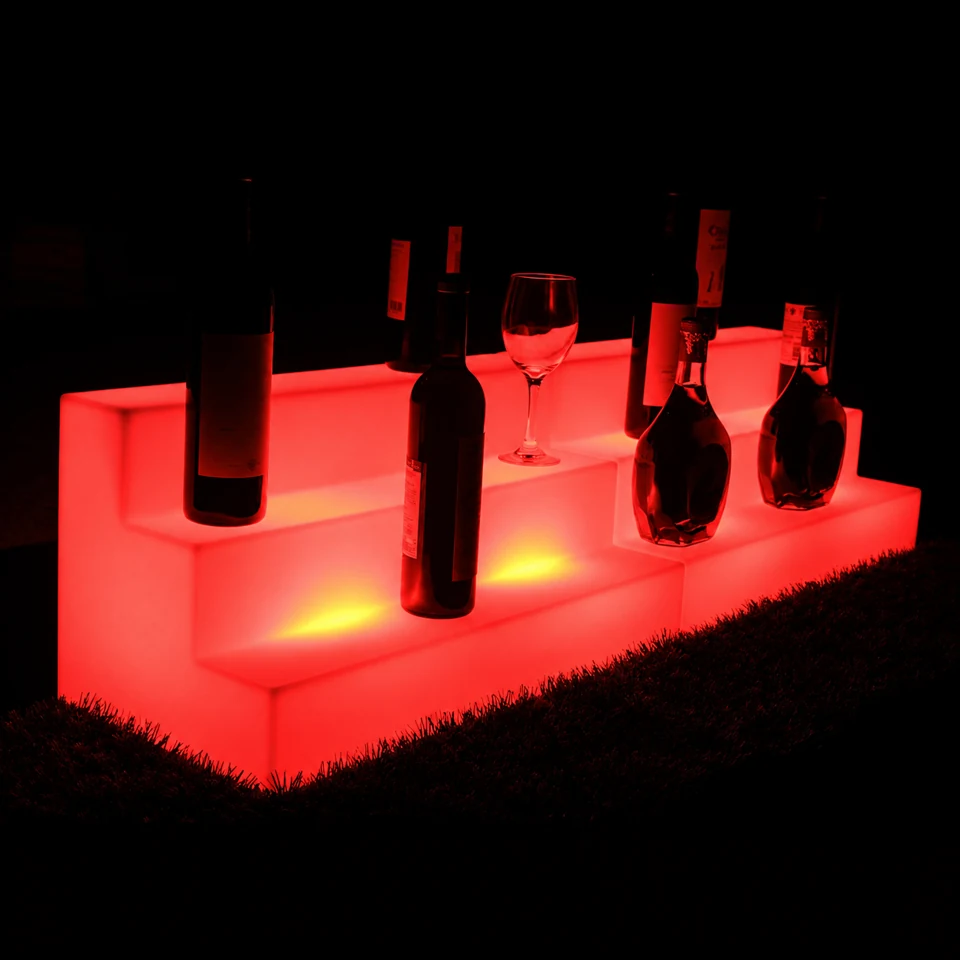
Before changing a display light or ordering a custom remote, test the existing colour and brightness settings in the finished display. In this Vcan case, the customer selected pink with the supplied remote, reduced it to 60% brightness and confirmed that the effect suited their logo. The original dual VC-L117-D01 modules and remote were retained.
A display colour that needed to work with the logo
The customer used a wireless LED system inside a display taken to fairs to show their products. Red and purple were satisfactory, but they were having difficulty getting the pink they wanted. Pink appeared in their logo and brand style, so the appearance of the illuminated display mattered.
They asked about a different remote that could select colours between the available presets. Their first enquiry made the request sound like a new control requirement. The useful next step was to check what the existing lights could already do and how the selected colour looked in use.
This is a practical consideration when choosing rechargeable LED lighting for exhibition displays: a colour available on the module still needs to be viewed through the display housing, alongside the products and branding it will accompany.
Pink at 60% brightness: the setting the customer accepted
Vcan clarified that pink was already available through the supplied remote. A new remote or replacement module was unnecessary for trying that colour. When the customer felt the pink did not fully match their intended appearance, we recommended adjusting its brightness.
The customer tried the adjustment and reported that 60% brightness suited the logo. They thanked us for the help. The solution used the equipment they already had.
Customer-approved setting
Pink · 60% brightness
Dual VC-L117-D01 modules, operated with the supplied remote.
The 60% setting belongs to this customer’s visual assessment of their display. It is not a universal recommendation for pink lighting. Brightness adjustment changes output; this case does not establish a calibrated brand-colour match or a specific Pantone or digital RGB value.
Dual VC-L117-D01 modules inside the display
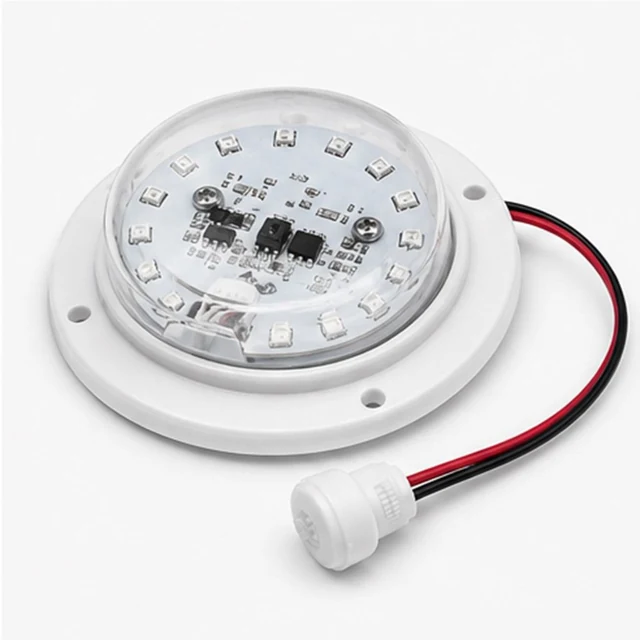
The customer’s configuration was a linked pair of VC-L117-D01 modules. The current VC-L117-D01 product page provides a starting point for reviewing the module and its side-access charging arrangement. Confirm the linked configuration and supplied controls when discussing your own project.
For a display builder, the module is the internal light source. Its fit, light positions and charging access need to work with the display you are making. A dual configuration should be assessed in that housing rather than selected from its outside dimensions alone.
Light distribution is a separate part of sample testing. If the centre is bright but the ends are dim, see the acrylic bar counter case on two light positions. That project addresses coverage; the case here addresses the customer’s preferred colour appearance.
How to test LED lights for your product display
Whether you are developing a bottle display, a translucent exhibition stand or an illuminated product plinth, start with a sample in the actual structure. The suitable module and number of light positions depend on the individual design.
- Select the intended static colour. Check the supplied controls before assuming you need another remote or a custom LED board.
- Adjust brightness in the assembled display. Compare the illuminated surface with the logo and products at the viewing distance you expect visitors to use. Keep the colour selection unchanged while comparing brightness settings.
- Review the complete presentation. Check the effect under lighting similar to the venue. If you are assessing several light positions, inspect the whole display for bright and dark regions.
- Record the accepted setup. Note the module configuration, colour selection and brightness setting. Check the operating time at that setting before approving a sample for an event.
If you are looking for an LED light kit for acrylic displays, share a photo or sketch of what should glow. You do not need to choose the module model before starting the discussion. For the wider checks before ordering, use our LED module sample-testing checklist.
If the available settings still cannot achieve the required effect, explain what remains wrong and share the sample results. The guide to remote-control options for LED module projects explains the next configuration discussion. Customisation should follow a defined requirement and sample review.
Questions about colour and wireless display lighting
Can rechargeable LED lights produce pink for a product display?
The supplied remote selected pink on the dual VC-L117-D01 configuration in this case. The customer then adjusted brightness and accepted the effect at 60%. Check the available colours and controls on the configuration you are sampling.
Does dimming pink change it into an exact brand colour?
Brightness adjustment changes the light output. In this project, the customer preferred how pink looked at 60% brightness in their display. This was visual approval, not a measured colour match or a guarantee of an exact Pantone or RGB value.
Do I need a custom remote to adjust my display lighting?
This customer achieved the desired effect using the supplied remote and the existing modules. Try the available colour and brightness settings in your finished display first. If they do not give the required result, discuss the remaining requirement with Vcan before deciding on customisation.
Can one remote control all the lights in my display?
The customer asked whether one or two remotes could serve all their lights. The confirmed outcome here concerns colour and brightness adjustment with the supplied remote. Confirm the control arrangement for your selected modules and test it in the complete display; this case does not establish compatibility with arbitrary remotes or other lighting systems.
Tell us what you want to illuminate
Send a photo or sketch of your display and tell us which part should glow. If a brand colour matters, share the reference and the effect you want visitors to see. Approximate dimensions help us discuss a suitable module and sample configuration.
Already using Vcan lights? Tell us the model if known and which colour and brightness settings you have tried. As this case shows, a control adjustment can be a useful first step.